How to Build a Development Plan (in Acorn)
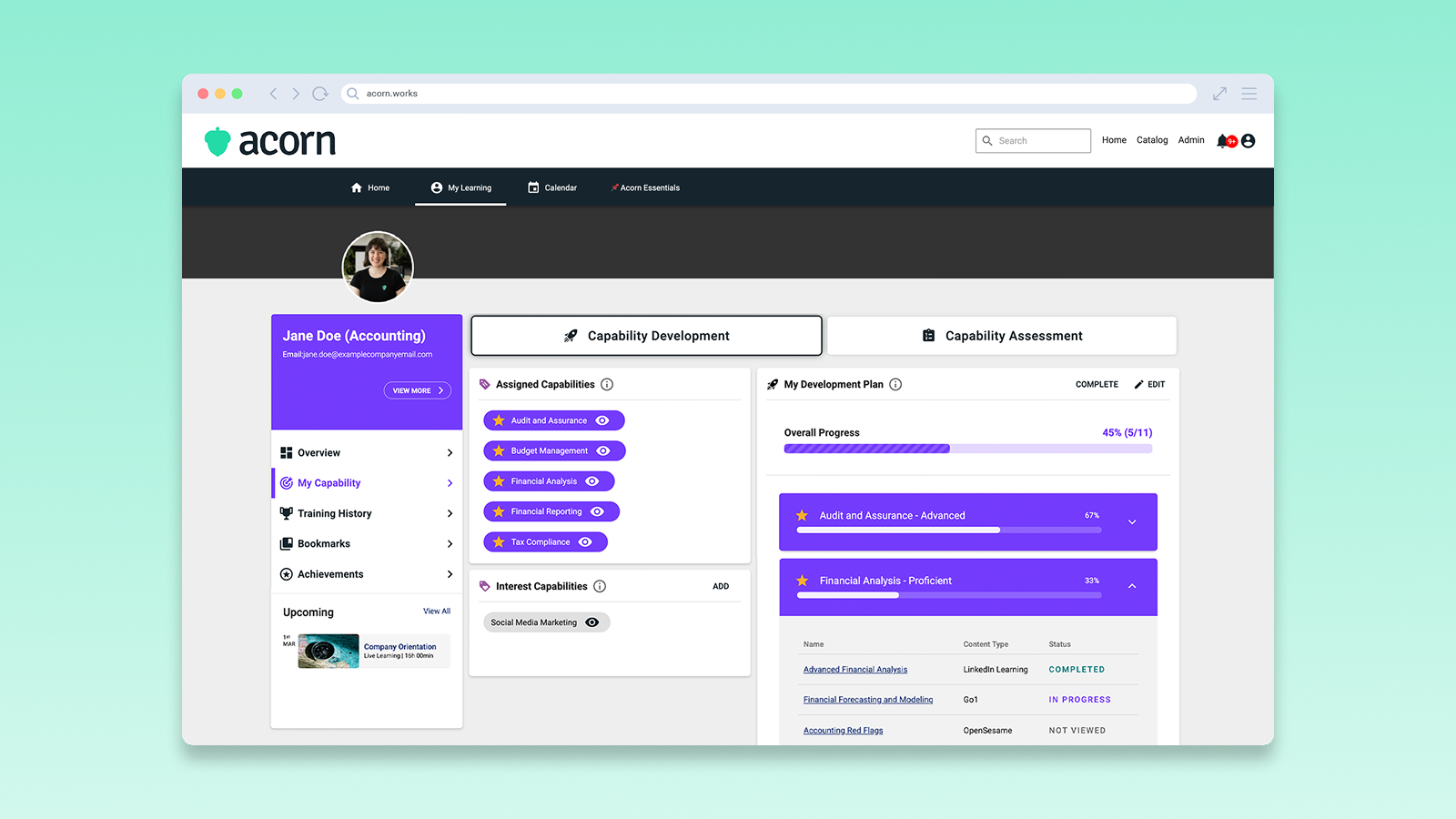
If you’ve ever had a performance review that didn’t lead to any meaningful (or actionable) development, you’re not alone.
Almost a quarter of employees agree that performance management doesn’t lead to meaningful career development. It’s no wonder that so many workers feel they have to job-hop to get the pay raise or promotion they feel they deserve.
We understand the disconnect between performance and learning (and how frustrating it is as a learner), which is why we made it easier than ever to link the two together in our platform.
Let’s run through how you can build your own capability-led development plan in Acorn.
What is a development plan?
A development plan outlines what you need to do in terms of training to improve your capabilities. It doesn’t just list courses you might take one day. It’s a structured plan that clearly shows:
- Your current capability levels
- Your target proficiency levels
- The specific activities you’ll complete to grow
- When and how you’ll check in on progress.
Why have a development plan?
A development plan gives you clarity, control and momentum in your career.
Imagine: you sit down with your manager for an annual performance review and they say you were scored 3/5 this year, but if you work a bit harder next year and develop some of your skills you might get a better score. But then you get no direction as to what skills you need to develop or how, so you get 3/5 again, no matter the effort you put in.
Obviously, a development plan would have been helpful here, because they use your capabilities as the basis for direction. Capabilities are the combined skills, knowledge, behaviors, and processes that you need to be successful in your role, and each proficiency level outlines a clear definition of how its demonstrated.
In that sense, a development plan:
- Gives you direction instead of guesswork. A development plan outlines the capabilities and proficiency levels you need and breaks your goals into practical, achievable steps.
- Keeps you competitive as work evolves. Capability-building is one of the strongest predictors of long-term employability. Work changes fast. Your development plan helps you keep pace.
- Strengthens your conversations with your manager, so both of you have a concrete plan to work from. It also means neither of you are walking into performance conversations without tangible data to back up performance evaluations.
- Gives you more control over your career. The hard truth is only 36% of organizations actively champion career development with strong development programs, so taking ownership of your growth gives you a major advantage, regardless of what your organization does or doesn’t provide.
How to build a development plan
In Acorn, we’ve made it easy for you to create your own development plan, whether you want to develop the capabilities assigned to your role or any interest capabilities you may have. You can read our Help Center guide on the process here.
Step 1: Start building your plan
Log into Acorn at via the login portal and navigate to the My Learning tab. On the left, select My Capability, and under the Capability Development tab, select Build Development Plan.
Step 2: Choose capabilities
Choose the capabilities you want to focus on as part of your development plan. You can select any number of capabilities you want for this, and they can be capabilities from your assigned set or your interest capabilities. Pro tip: we recommend you only select one or two high-priority capabilities to focus on in your plan, using your capability assessment results to guide you.
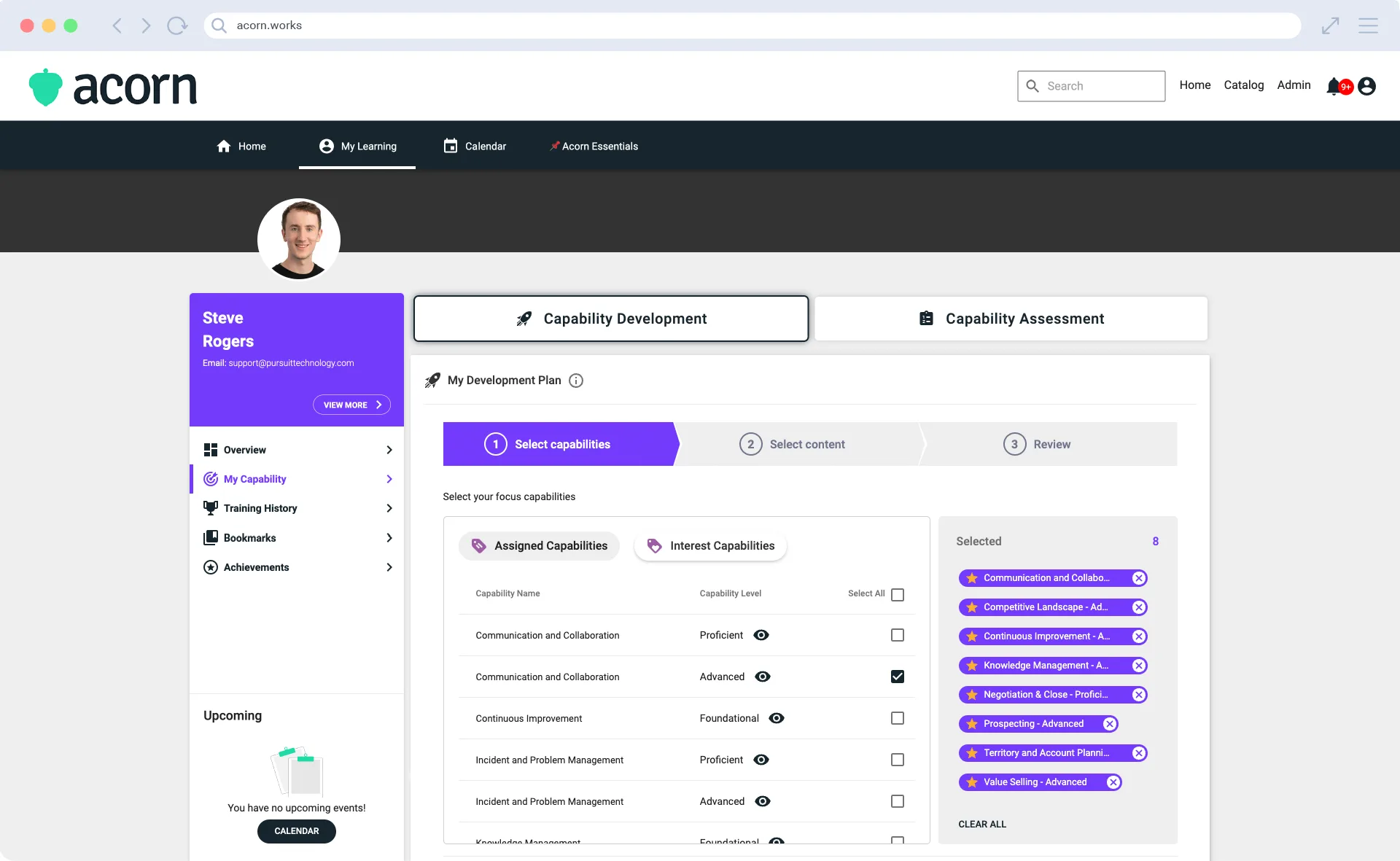
Click Next, and for each capability chosen, you’ll be asked to select learning content by ticking the checkbox next to the content you want. You can choose content from your LMS, partnered content, or external learnings. We suggest mixing it up with a combination of formal learning and practical application. Read more details about each content item before you select it by clicking the arrow next to each one.
Choose Next, and repeat this process for all the capabilities you included in your development plan. Once you’ve selected content for each capability, click Confirm. Your development plan will now appear on your profile.
Step 3: Start learning
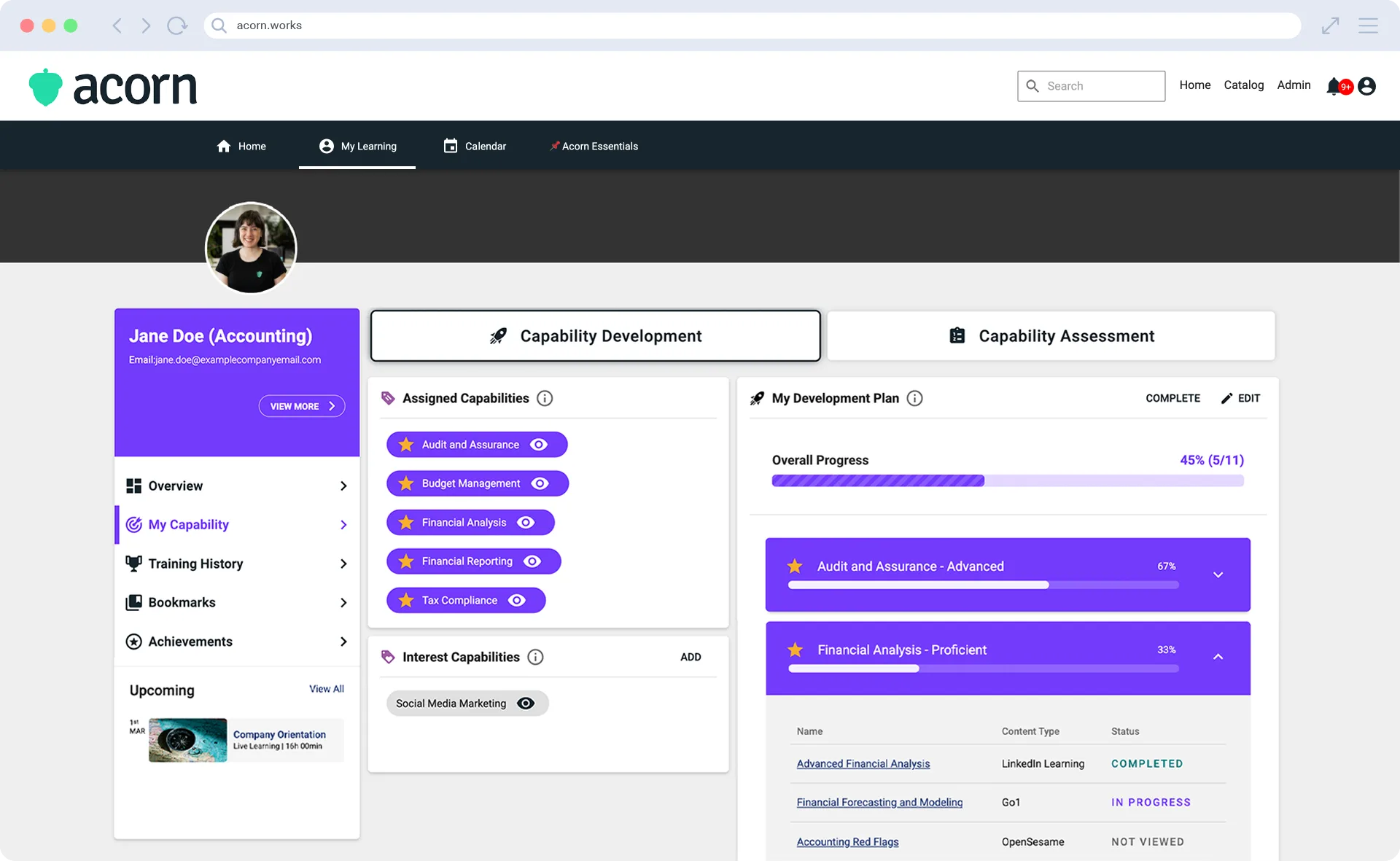
Start working through your development plan at your own pace. You can check your development plan any time on your profile, to track progress or make updates.
Final thoughts
Development plans help you take charge of your growth, build confidence in your capability, and move steadily toward the career you want. It’s the personal roadmap toward your goals, which is only possible because it focuses on building the capabilities you need to succeed in your role.
You can read more user guides on our Help Center.