How to Complete a Capability Assessment in Acorn
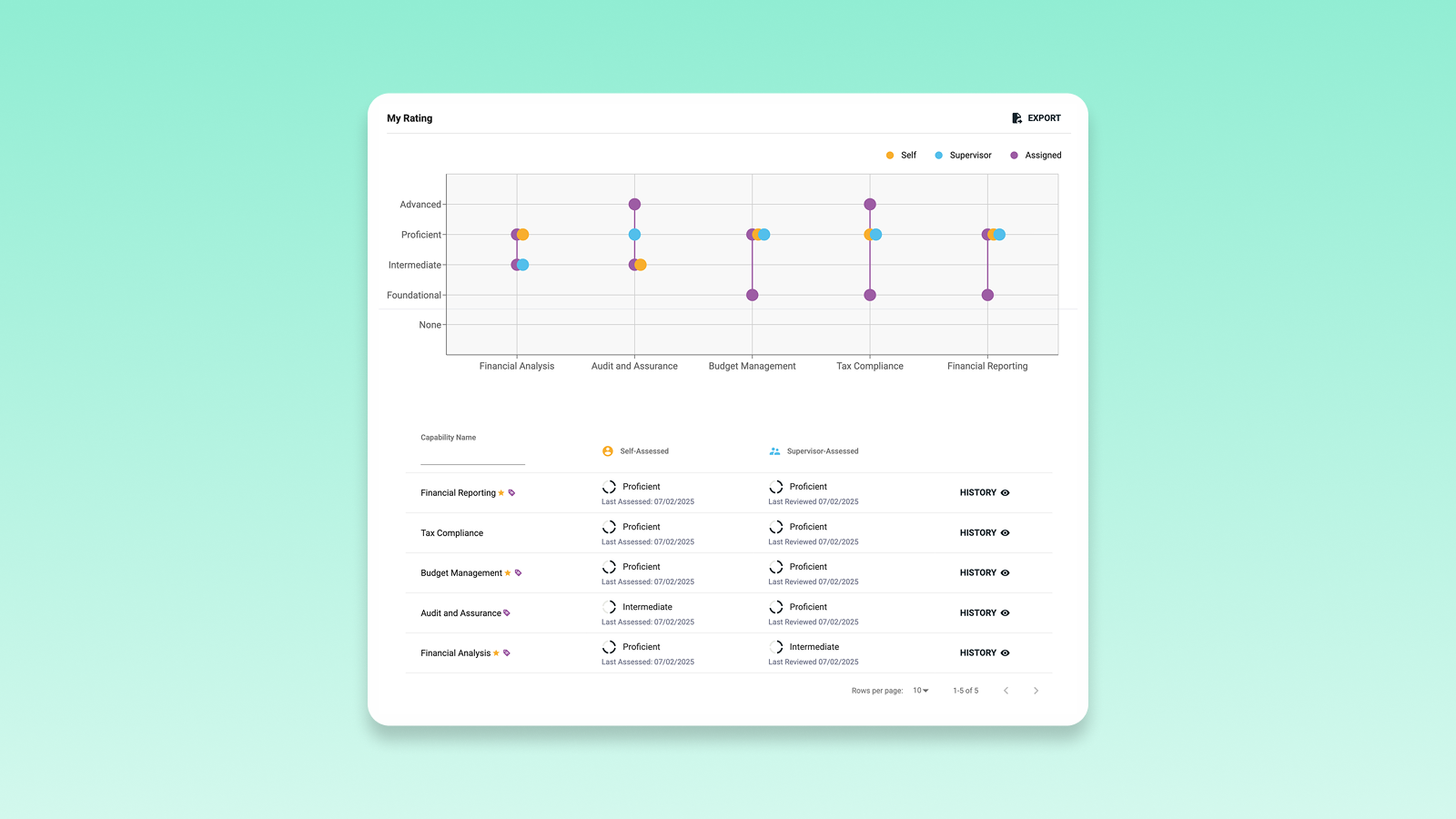
Capability assessments turn backwards-looking traditional performance reviews into future-facing, data-led development plans that people can act on immediately.
This guide breaks down what capability assessments are, why doing them frequently matters far more than most organizations realise, and how to complete a capability assessment step-by-step inside Acorn.
What is capability assessment?
A capability assessment is a structured evaluation of an employee’s proficiency levels in the capabilities defined for their role or career pathway. Each proficiency outlines how the capability is demonstrated, in increasing levels of mastery (we recommend around 3-5 proficiency levels).
The key difference between capability assessments and the traditional performance reviews is that instead of receiving an arbitrary score out of five, each proficiency level has a defined, observable behavior. No one can assess your capabilities at the wrong level, because you need evidence to back up your position.
Why do frequent capability assessments?
The biggest mistake we see in traditional performance management is the annual cycle. One conversation, once a year, about work performed up to twelve months prior—by which point you can barely remember what happened over the year. No wonder Gartner found that 82% of organizations report their performance management systems aren’t achieving their intended results.
On the other hand, frequent capability assessments create a real-time feedback loop you can actually act on. By that, we mean:
- Performance reviews become performance conversations with a shared, objective language for performance. It’s less about reviewing the past, and more about looking to future development based on your role and your goals.
- Training is truly targeted. If you can see the exact proficiency gap, you can assign the exact learning content to close it. People are more engaged when learning is relevant to them, anyway.
- There’s a basis for continuous improvement. Ever had a performance review at the end of the year only to discover you’ve been making the same mistake the whole time? After all that time, any bad habits have hardened like concrete, but frequent capability assessments bring those problems to the fore to be acted on quickly.
How to complete a capability assessment in Acorn
Completing a capability assessment in Acorn is intentionally simple. You can read our Help Center guide on the process here.
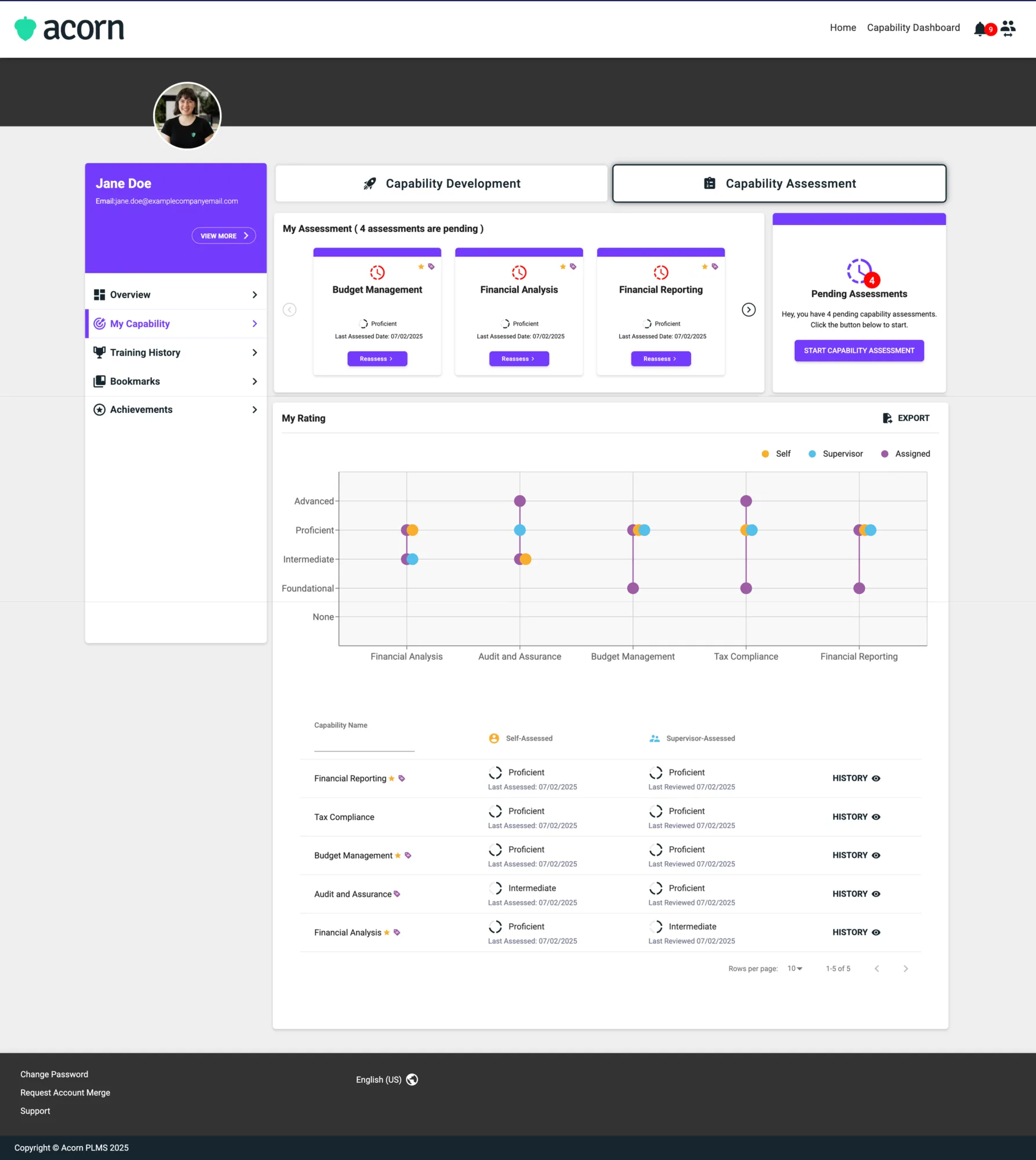
Step 1: Navigate to your capability assessment
There are two ways to start your capability assessment:
- From the email notification about your outstanding assessment
- From within Acorn, which you can get to by navigating to the My Capability tab on your My Learning page, and clicking Capability Assessment.
Once you’re there, you can choose to either assess individual capabilities by clicking Assess next to each one, or complete all your assessments at once by clicking Start Capability Assessment.
Step 2: Filling out the capability assessment
If you choose to do all assessments at once, you can select the capability you want to start with. If you’ve started the assessment before and hadn’t finished it, you’ll be prompted to resume from where you left off.
Review the capability description and all its proficiency levels. Choose the proficiency level that best reflects your current ability (if you feel you fall between proficiency levels, we often recommend choosing the lower of the two because it indicates you still have potential to develop further before you truly embody the higher proficiency). Click Next, and you’ll be prompted to provide evidence for your answer. Don’t worry, if you made a mistake in your proficiency selection, you can always go back and change it before you finalize your assessment.
Filling out evidence of your proficiency level might seem daunting at first, but you’ll still be able to see the description for each level on the left side of the screen. You can use it to guide your response so you know you’re addressing the specific behaviors required for that level. We always say the more detail the better, because it shows your manager what you’ve achieved.
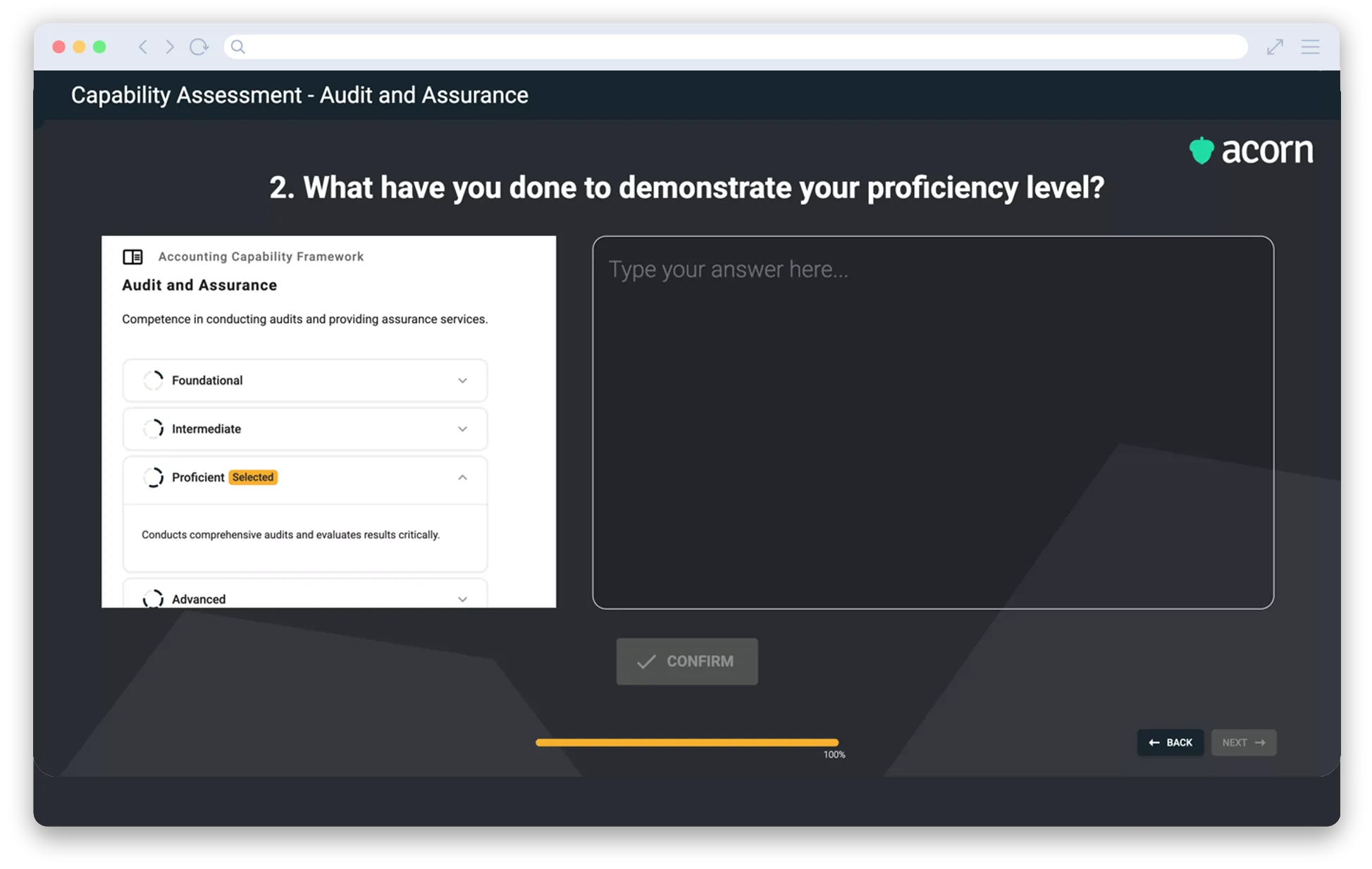
Once you’re happy with your response, click Confirm. You can’t change your responses after you submit the assessment, so make sure you review it carefully. Repeat this process for every capability assessment available.
Final thoughts
Capability assessments provide tangible and actionable data for your career development. They show where your current performance is at, as well as your potential (and therefore where your growth areas are).
For more user guides, check out our Help Center.